Embed a call on your website
Last updated: October 29, 2026
Embed a call on your website
You can show a call from Airspeed on your own website, for example in a case study, a customer page or an internal portal. The call plays inside a frame on your page. Visitors do not need an Airspeed account and do not need to sign in.
An embed is different from a share link. A share link opens a page on Airspeed, and you can limit it to named people. An embed is for a site you control, and anyone who can see that page can play the call.
Before you start
Airspeed only shows an embed on sites you have allowed. Add your site first. If you skip this step, the frame stays blank.
Go to Settings → Organizational.
Find Embed domains.
Add the address of the site that will show the embed, then save.
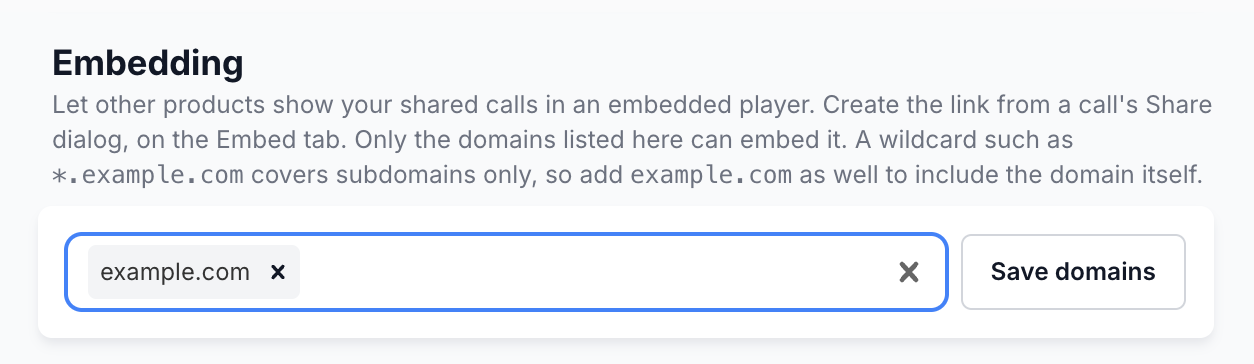
Some tips for the address:
Add the host name only, for example
www.example.com. Do not addhttps://, a page path or a port number.To allow every subdomain, use a wildcard, for example
*.example.com. A wildcard does not coverexample.comitself. If you need both, add both.Only people in your workspace who can change organization settings can edit this list. Ask your workspace admin if you cannot see it.
Create an embed
Open the call you want to embed.
Select Share, then open the Embed tab.
Select Create embed link.
Copy the iframe code that appears.
Paste the code into your page, in the place where you want the call to show.
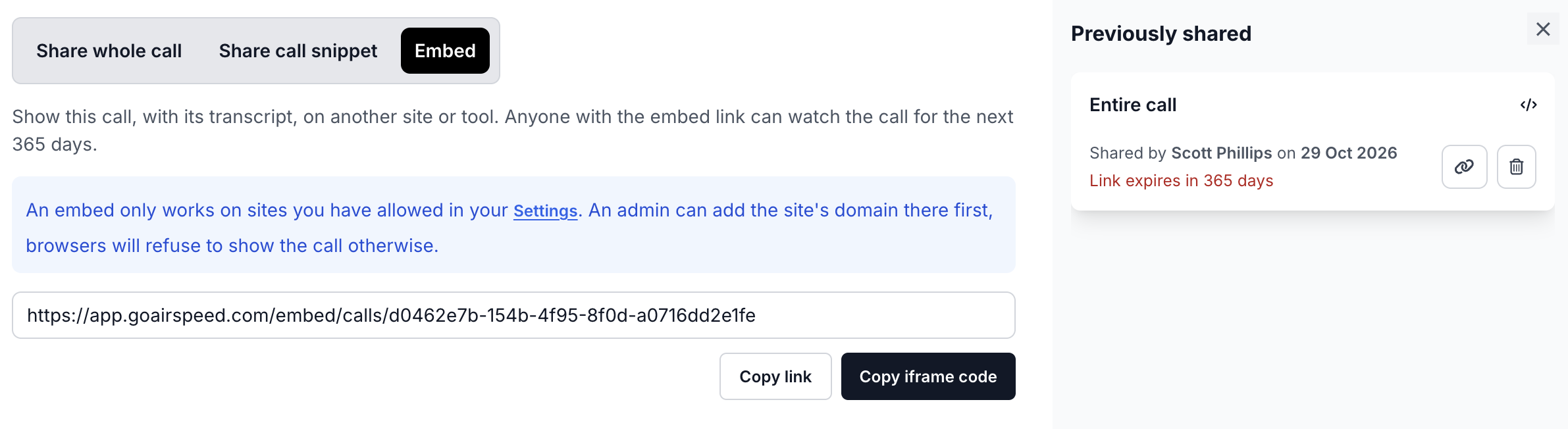
The call plays on your page with its transcript. The embed shows the call only. It does not show your other calls or any part of your Airspeed workspace.
Good to know
Expiry: An embed link has an expiry date. After it expires, the frame shows a message that the link has expired. Create a new embed to replace it.
Delete an embed: You can delete an embed from the Previously shared list in the share dialog. The frame on your page stops working after that.
Delete a call: If you delete the call, the embed stops working too.
Privacy: Anyone who can open your page can play the call. Only embed calls that you are happy for your audience to hear, and check that the people on the call agree.
If the frame is blank or blocked
Check that the site's host name is in Embed domains, and that it matches exactly.
www.example.comandexample.comare different addresses.Do a hard refresh of your page, or open it in a private window. Browsers can keep an old result for a short time.
Open your browser's developer console. A message that mentions
frame-ancestorsmeans the site is not on the allowed list yet.Check that the embed has not expired and that the call still exists.
If it still does not work, contact support and send us the address of your page and the time you tested. We will take a look.