Email Aliases (Secondary Emails)
Last updated: October 15, 2026
An email alias is a second email address on your Airspeed account. Use it when you join calls under more than one address, for example after a rebrand or when your team uses two company domains. When an alias is verified, Airspeed treats calls under that address as your calls.
Add an alias
Go to Settings → User Management.
Find your user (or, if you are an admin, the user you want to update) and add the alias.
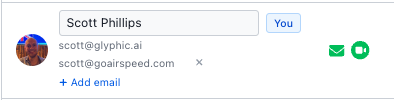
Airspeed sends a verification link to the alias address. Open the email and click the link.
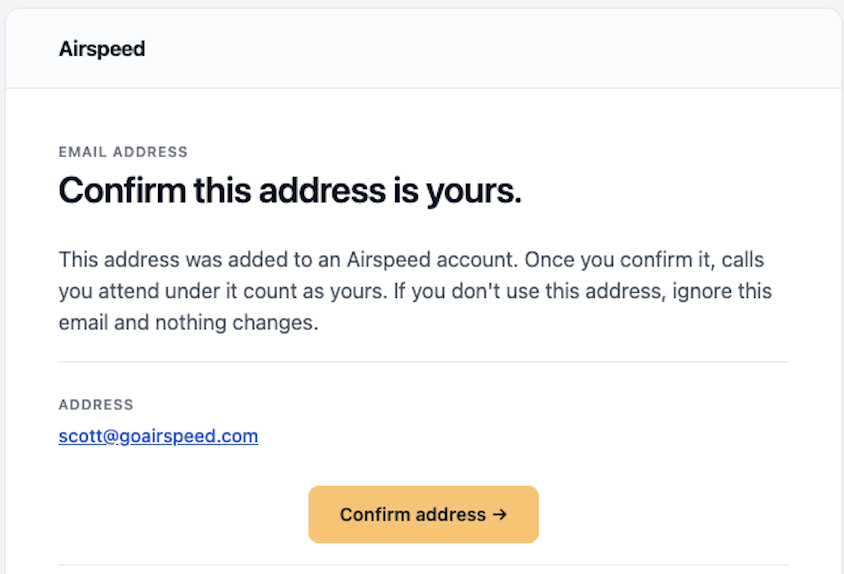
The alias counts only after it is verified. Before that, it is shown as pending.
Rules
Internal domains only. The alias must use one of your organization's internal domains. You cannot add a personal address such as Gmail. To add a domain, see Domain Settings: Internal vs Excluded Domains.
One owner per address. An address cannot be an alias if it is already a user's primary email, another user's alias, or an open invite.
Up to 10 aliases per user.
Verification links expire after 7 days. If a link expires, resend it from the User Management page.
Removal. When you remove an alias, Airspeed stops treating that address as you, and another user can then use it.
What an alias changes
Area | What happens with a verified alias |
|---|---|
Your calls | Calls where the alias is a participant count as your calls. They show in your calls list, and the same call visibility rules apply as for your primary email. |
Scorecards and coaching | Calls under the alias are scored for you and count in your coaching and team views. |
Agents and Ask Airspeed | Agents that run on your calls also run on calls under the alias. When you filter by a user in Ask Airspeed or in agents, the filter includes that user's aliases. |
Notifications about calls | Call prep reminders, call-processed notifications, comments and mentions recognize you when you attend under the alias. The notifications still go to your primary email. |
CRM user matching | Airspeed can match you to your Salesforce or HubSpot user by the alias, for example for deal owners. |
Dialer and recorder imports | Calls from Aircall, Dialpad, Five9 and Gong made under the alias are imported as your calls. |
Slack | Airspeed can find your Slack account by the alias. |
Tasks | Tasks from calls that name the alias are assigned to you. |
Private-by-default calls | If you set your calls to private by default, calls you attend under the alias are also private. |
What an alias does not change
Area | What stays the same |
|---|---|
Logging in | You log in with your primary email only. This includes password, Google, Microsoft, SSO (SAML) and the Outlook add-in. You cannot log in with an alias. |
Where emails go | Airspeed sends all emails and notifications to your primary email. The only email sent to the alias is its verification link. |
Your primary email | Your primary email does not change, and it is the address shown for you in Airspeed. |
Calendar and recording bot | An alias doesn't change which meetings are recorded. The bot joins meetings on your connected calendar as before, including invites sent to your alias if they show on that calendar. The alias makes sure those calls count as yours. If the alias has its own separate calendar, connect that calendar to record its meetings. |
Seats and billing | An alias is not a new user and does not use a seat. |
Invites | You cannot invite a new user with an address that is already an alias. Remove the alias first. |
Pending aliases | An alias that is not verified does nothing until it is verified. |
Frequently asked questions
Do my older calls under the alias show up?
Yes. After you verify the alias, calls under that address show in your calls list. Calls that were processed before verification may not be scored for you automatically. If you need them scored, contact support.
Can an admin add an alias for me?
Yes. Admins can add an alias for any user on the User Management page. The alias still needs to be verified from its inbox.
I get an error that the address is already in use. What do I do?
The address is another user's primary email or alias, or it has an open invite. Remove it from that user or cancel the invite, then try again.